
TikTok is one of the most popular social platforms for entertainment, learning, and even business. But there’s one thing that often frustrates users: you can’t download video TikTok without a watermark directly from the app. Understanding that pain point, TikTokio was created as a simple, fast, and reliable TikTok video downloader that helps you save clean, HD videos without the logo and absolutely anyone can use it with ease.
Introduction to TikTokio
TikTokio was created after analyzing what users truly need when engaging with the TikTok platform. It’s built for anyone who loves watching TikTok and often wants to download video TikTok without watermark for personal use or content creation.
With TikTokio, you no longer have to deal with distracting logos on your saved videos. You can download tiktok no watermark in high quality, extract audio, and even save thumbnails. The tool was developed to solve a very real limitation: TikTok doesn’t allow direct downloading or easy sharing. With TikTokio, all you need to do is copy the link, paste it, and download – the whole process takes just a few seconds.
Today, TikTokio has become a favorite among many content creators. Every saved video is clean, sharp, and ready for you to edit and repost in your own unique style.
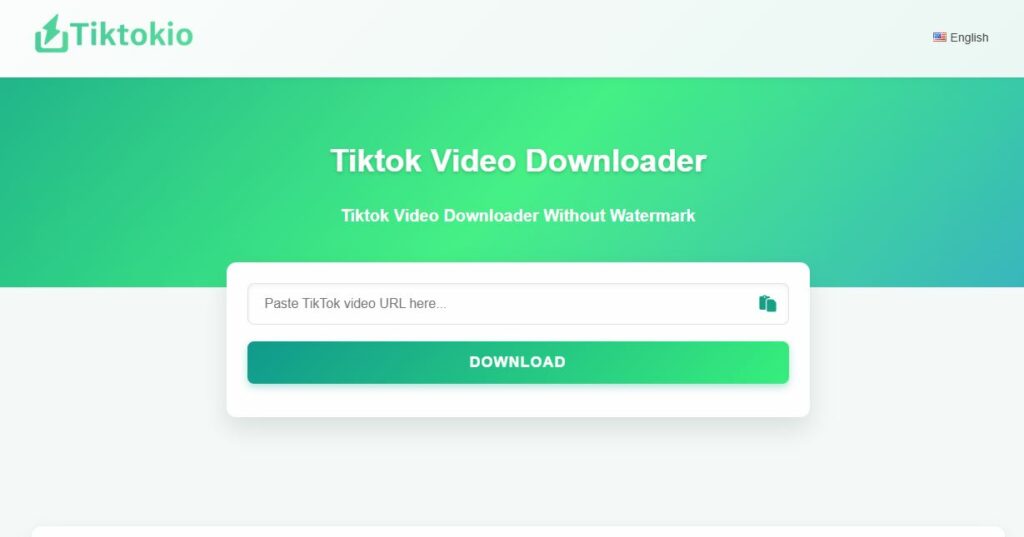
Useful Features You’ll Find on TikTokio
As a tool trusted by everyday users and content creators alike, TikTokio comes with a set of practical features designed to make your experience smoother and more efficient.
Download videos without watermarks
One of TikTokio’s biggest strengths is its ability to download TikTok no watermark completely free — no fees, no extra app installation, no waiting. You simply use the site and get a clean, watermark-free file. This makes it perfect whether you want to download video TikTok for personal use or refine it into polished content for your audience.
Full HD video quality
Despite being free, TikTokio never compromises on video quality. You can choose from multiple formats depending on what you need:
- MP4 for those who want the original clarity preserved, with both SD and HD options available.
- MP3 if you only need the audio, ideal for creators who want to reuse sounds or save their favorite clips.
Whether you’re using TikTokio as a TikTok video downloader or simply need a quick TikTok video download, the quality is always guaranteed.
Smooth performance on every device
TikTokio is built to work seamlessly across devices. On desktop, it runs smoothly on Chrome, Firefox, Bing, Microsoft Edge, and is fully compatible with both Windows and macOS.
On mobile phones and tablets, just open your browser and start downloading — no app required. It’s one of the simplest ways to download TikTok videos anytime, anywhere.
AI-powered speed and optimization
The developers behind TikTokio have integrated AI technology to make the download video TikTok without watermark process faster and more stable. The system automatically detects your video link, processes the file, and enhances the final quality while minimizing errors.
With advanced AI, TikTokio also analyzes user behavior and trending TikTok content to suggest keywords and hashtags that fit your style, a small but powerful boost for creators looking to grow.
Download Management Suite
TikTokio also comes with a super convenient download management system for anyone who saves a lot of content every day. It lets you review your entire history of downloaded videos and audio, recover old files if you accidentally deleted them, or simply forgot where you saved them.
You can also sync and back up important clips so you never lose anything. All of this works seamlessly even when you use the tiktok video downloader feature to download video TikTok or download TikTok with no watermark.
Support System
If you ever run into any issues while using the tiktok video downloader, you can reach out to TikTokio directly. You’ll get quick assistance through live chat, short in-app surveys, or built-in error reporting. Everything is designed to help you solve problems fast and keep your tiktok video download process running smoothly.
How to download TikTok videos without a watermark
Saving a TikTok video is super simple – just follow these steps:
Step 1: Copy the TikTok video link
Open the TikTok app or TikTok’s website and pick the video you want to save.
- On your phone: tap Share and Copy link.
- On your computer: the link is already visible in your browser’s address bar.
Step 2: Paste the link into TikTokio
Go to tiktokio, paste the URL into the input box, and hit Download.
Then choose the format you prefer:
- Download video without watermark
- Download video with watermark
- Download MP3 audio
TikTokio also supports downloading TikTok photos, Stories, and even Douyin videos.
This step works perfectly if you’re looking to download video TikTok, download TikTok no watermark, or use a reliable tiktok video downloader.
Step 3: Save it to your device
After a few seconds of processing, your video (MP4) or audio (MP3) will be ready to download instantly to your device.
Comparison: Advantages of TikTokio with Other TikTok Video Downloaders
Let’s take a look at a comparison table between TikTokio and several popular TikTok video downloader tools so you can confidently choose the one that best fits your needs:
| Criteria | TikTokio | Other Tools |
| Download without watermark | Yes, stable quality | Yes, but often buggy or still leaves a watermark |
| Download without internet (Offline Mode) | Supports saving tasks and auto-downloading when back online | Not supported; requires internet to download |
| Download speed | Fast and consistent | Often slower due to ads or bandwidth limits |
| Interface | Clean and easy to use | Usually cluttered with ads |
| Format support (MP4, MP3…) | Full and reliable | Available but inconsistent or error-prone |
| TikTok login required | No | Some tools require login |
| Privacy | No user data stored | Unclear, may track cookies |
| Multi-device support | Works well on mobile, desktop, and tablet | Not consistent across devices |
| Download limit | Unlimited | Often limited or requires payment |
| Advertisements | No ads | Many have ads or pop-ups |
Some limitations and how to fix them when using Tiktokio
Alongside its strengths, the Download Video TikTok tool Tiktokio also has a few limitations but each one comes with an easy workaround:
- Occasionally slower downloads: Tiktokio may load more slowly at times, usually due to weak internet or heavy traffic on the system. Just try again after a few minutes or switch to a stronger Wi-Fi connection. This is common across many download video TikTok without watermark tools.
- Certain videos cannot be downloaded: Some videos won’t download because they’re set to private or contain copyrighted audio. You can double-check the privacy settings, or choose to download a version without sound. This is also a typical limitation when using any download TikTok no watermark service.
- Browser compatibility issues: If your browser is outdated, Tiktokio may run into unexpected errors. Updating Chrome, Firefox, or Edge usually fixes everything instantly and ensures stable performance.
- Downloading too many videos at once: When you download multiple videos simultaneously, the system can get overloaded. The simplest fix is to download one video at a time to avoid interruptions.
Tiktokio is performing very well as a fast, stable, and high-quality tiktok video downloader, helping millions of users download TikTok videos in HD without watermark. With its advanced features, this tool ensures an excellent experience for anyone looking for a reliable tiktok video download solution.